Operations System & Automation for a Real Estate Professional
Building a centralized operating system to simplify client management, workflows, and day-to-day operations.
The Challenge
The client needed a more structured way to manage his day-to-day operations without relying on scattered information across different tools and manual processes.
As his workflow involved client communication, follow-ups, tasks, and recurring operational activities, important information could easily become fragmented or require unnecessary manual work.
The goal was not simply to introduce another productivity tool.
The goal was to create a centralized operating system around the way their team actually works.
The Approach
I mapped the existing workflow and identified the areas where information, tasks, and communication could be centralized and automated.
Instead of forcing a generic productivity methodology onto the business, I designed the system around the client’s existing processes. The solution focused on three core principles:
Centralize
Create a single source of truth for operational information, tasks, and workflows.
Simplify
Reduce unnecessary steps and make frequently used information accessible from one place.
Automate
Connect the system with existing tools to eliminate repetitive manual work and improve consistency.
The Solution
A centralized operational workspace
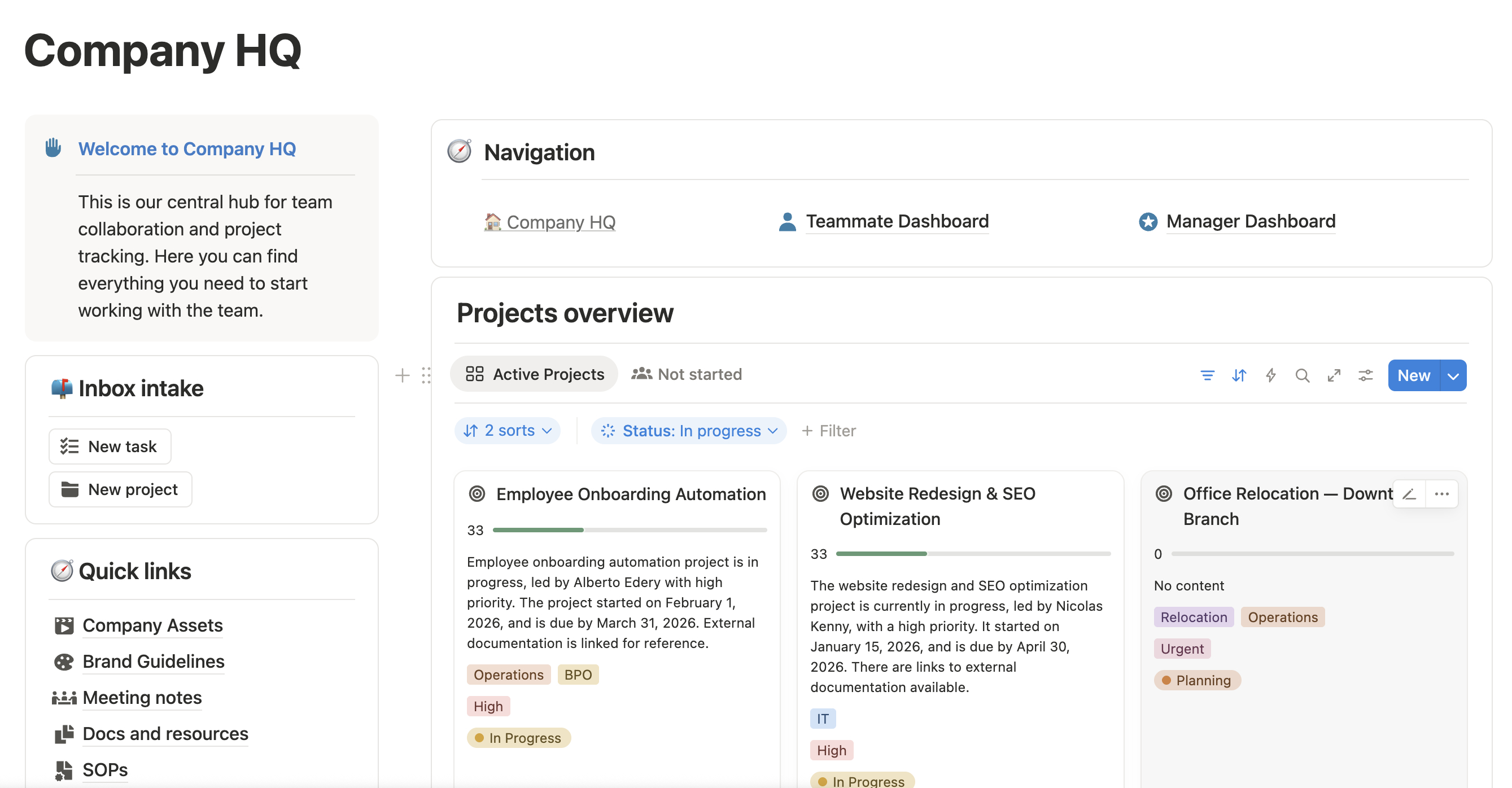
I designed a tailored Notion workspace that brought key operational information into a single system. The workspace provided a structured environment for managing:
- Clients and relationships
- Tasks and follow-ups
- Operational workflows
- Important information and resources
- Recurring activities
- Day-to-day priorities
Rather than functioning as a collection of databases, the workspace was designed as an operating layer for the business.
Workflow automation
The system was connected to the client’s existing tools using automation workflows. This allowed repetitive processes to happen automatically instead of requiring manual updates across multiple platforms.
The automations were designed around the principle:
If a process happens repeatedly, the system should handle as much of it as possible.
This reduced friction between communication, task management, and operational follow-up.
The Result
The project transformed a fragmented workflow into a centralized and structured operating system. The client gained:
A single source of truth
Important operational information could be managed from one centralized workspace.
Less manual work
Repetitive processes could be automated instead of handled manually.
Greater visibility
Tasks, follow-ups, and operational activities became easier to track.
A system built around his workflow
Instead of adapting his business to an off-the-shelf template, the system was designed around the way he actually operates.
My Role
I worked across the project as an Operations Consultant and Notion Architect, responsible for:
The most important part of this project wasn’t building a Notion workspace. It was turning an existing way of working into a system.
By combining process design, Notion architecture, and automation, the result was a more reliable operational foundation that could support his work without adding unnecessary complexity.
Good systems shouldn’t make businesses more complicated. They should make the complexity disappear.