One system your business runs on.
Notion designed around how your work moves, automated where it earns its place, documented so your team keeps it running after handoff.
Six things people ask for most.
Client portals
Clients see their own work without getting into your workspace.
CRM and pipeline
Deals and contacts connected to the delivery work they turn into.
Project and delivery
Intake to handoff in one place, with capacity you can see before you say yes.
Cross-tool automation
Notion talking to Slack, Sheets, Salesforce and whatever else you already pay for.
AI agents
Meeting notes written to the right page. Records that update themselves.
Migration and cleanup
Out of Asana, Monday, ClickUp or spreadsheets, with the data cleaned instead of dumped.
What’s in every build.
The size of the build changes. This list does not.
- A data model built on relations and rollups, so anything you need is typed once.
- Automations for the steps a person should not be doing, native or n8n, whichever fits.
- Your existing data migrated in and cleaned on the way, rather than dumped.
- Documentation covering how the system works and how to extend it.
- Training for whoever owns it on your side.
- 30 days of support after handoff, then it is yours.
How it goes.
Free call
Fifteen minutes. I tell you whether Notion is the right answer. Sometimes it isn’t.
Systems audit
One hour inside your process. Written report, a recommendation and a fixed quote in 72 hours.
Build
Two to six weeks. Fixed scope, fixed price, progress you can see every week.
Handoff
Documentation, training, and 30 days of support. Then it’s yours.
“Will my team actually use it?”
Most Notion rollouts die around six weeks in, when whoever set it up stops maintaining it and everyone quietly goes back to spreadsheets.
So I plan for that from the first call. Every build includes documentation and a trained owner on your side, someone who can use the system, teach it and fix it when it breaks. I don’t send the final invoice until that person exists.
- The audit report lands within 72 hours of our call
- You see progress every week during a build
- Every build is documented before handover
- No final invoice until someone on your team can run it without me
- If Notion is the wrong tool, I say so and don’t take the project
- Fixed scope, fixed price. Anything added mid-build is quoted before work starts on it
Questions.
Because quoting a system I have not looked at means guessing, and guessing means either you overpay or I eat the difference. An hour inside your workspace turns a guess into a fixed price.
It depends on the size of the problem, which is what the audit establishes. You get a fixed price in writing within 72 hours of the audit call, with my recommendation and what I would leave out. Nothing starts until you have agreed to it.
Between two and six weeks depending on scope. You see progress every week rather than a reveal at the end.
It gets quoted separately before any of it happens, and you decide. The original scope stays at the original price.
Whichever is cheaper for you, and the audit says which. A rebuild sometimes costs less than untangling what is already there. You get the reasoning either way.
We talk about whether an ongoing arrangement makes sense. No obligation, and nothing on this site auto-renews.
Recent work.
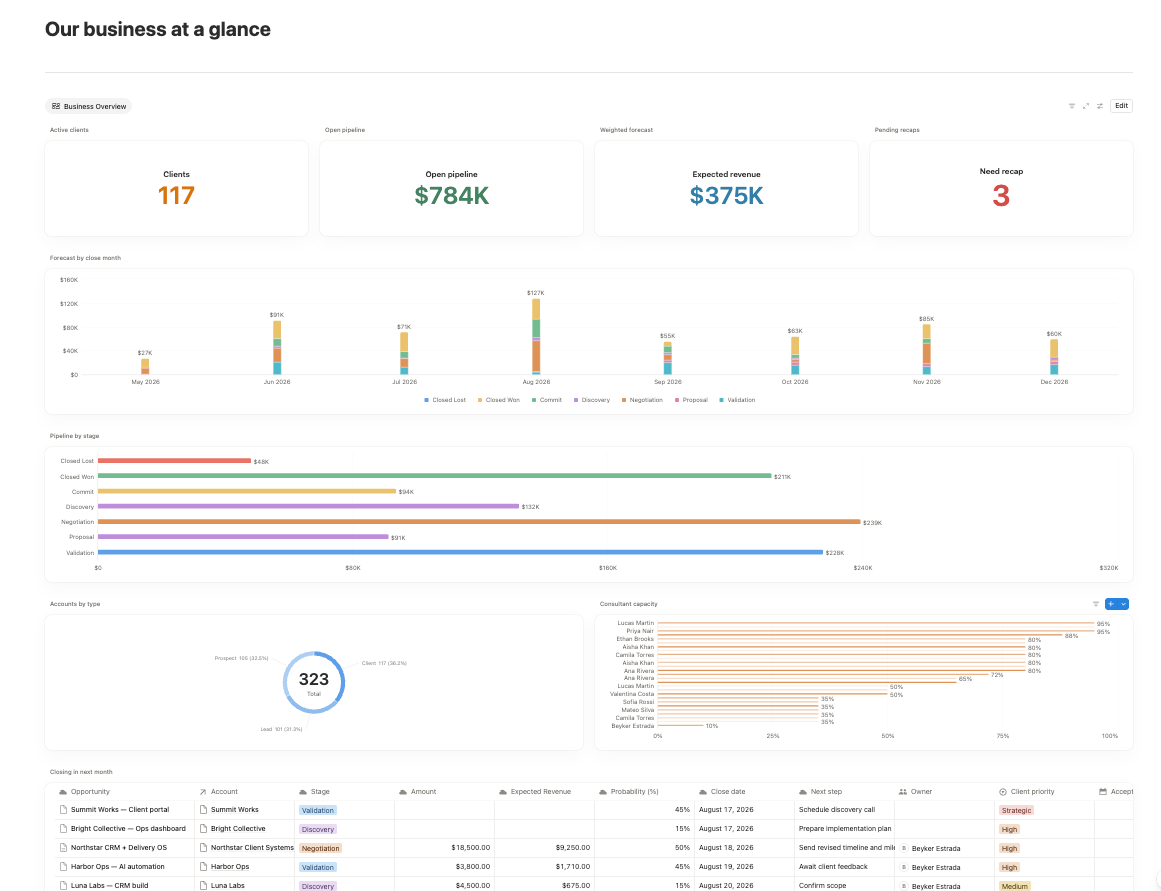
An AI-Powered Knowledge & Sales System for BK Consulting
Knowledge lived in HubSpot, Fathom and Slack, and none of them agreed. One Notion workspace now holds it, and the sales pipeline and project handoff run off the same records.
Read the case study →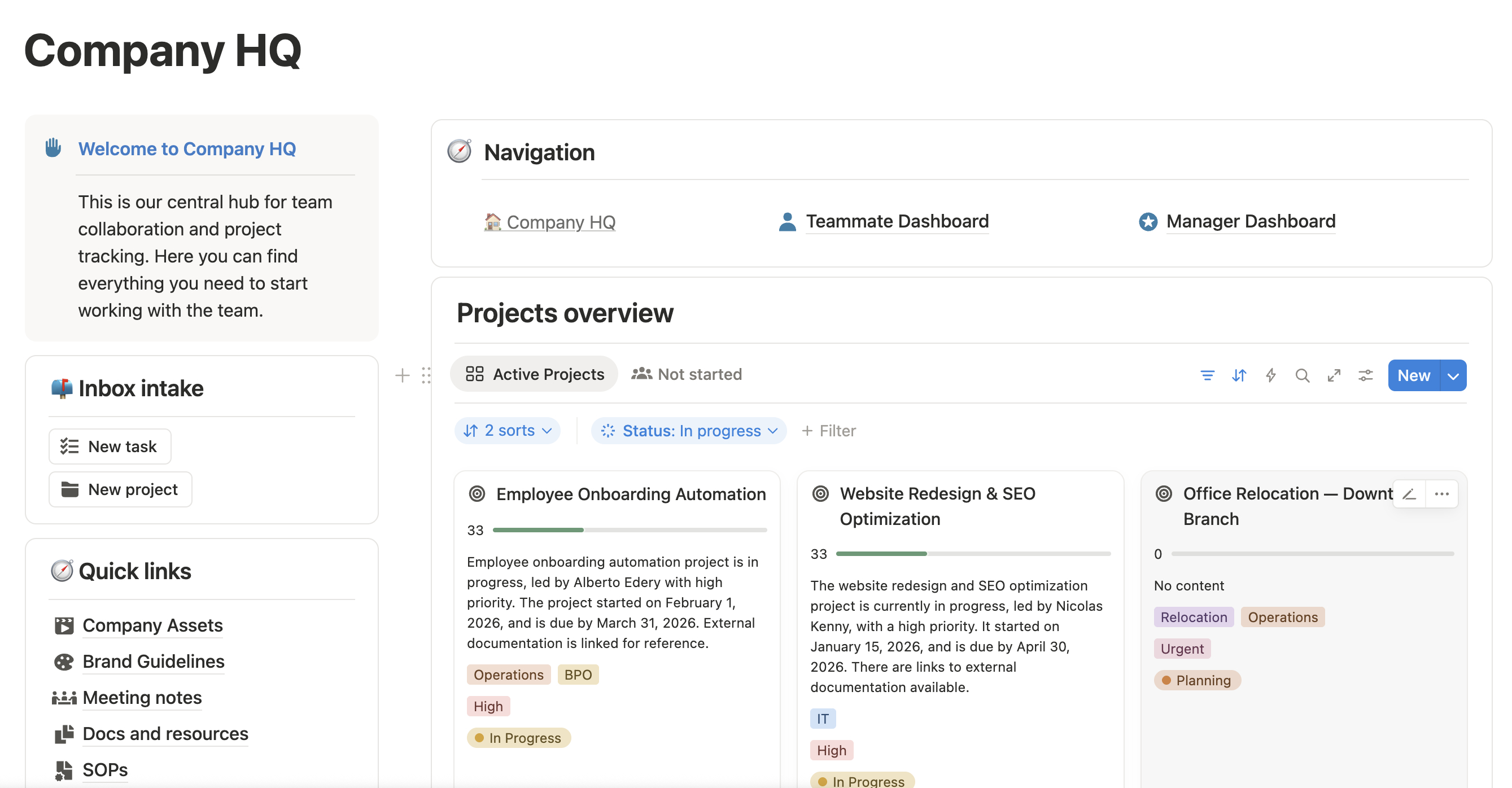
Operations System & Automation for a Real Estate Professional
Client follow-ups depended on one person remembering them. Now intake, communication and the recurring work all run out of one workspace, and the follow-ups fire on their own.
Read the case study →“Beyker didn't just configure tools. He mapped out systems and processes so I could hit the ground running from day one. He's exceptionally resourceful, whether building direct integrations or finding creative workarounds when standard connections don't exist. He takes feedback seriously, iterates quickly, and isn't satisfied until everything actually works the way you need it to.”
“I especially value his ability to understand real needs, propose practical improvements, and turn complex processes into simple, usable systems. Thanks to his work, I achieved greater organization, focus, and efficiency in my day-to-day work.”